Problem Statement
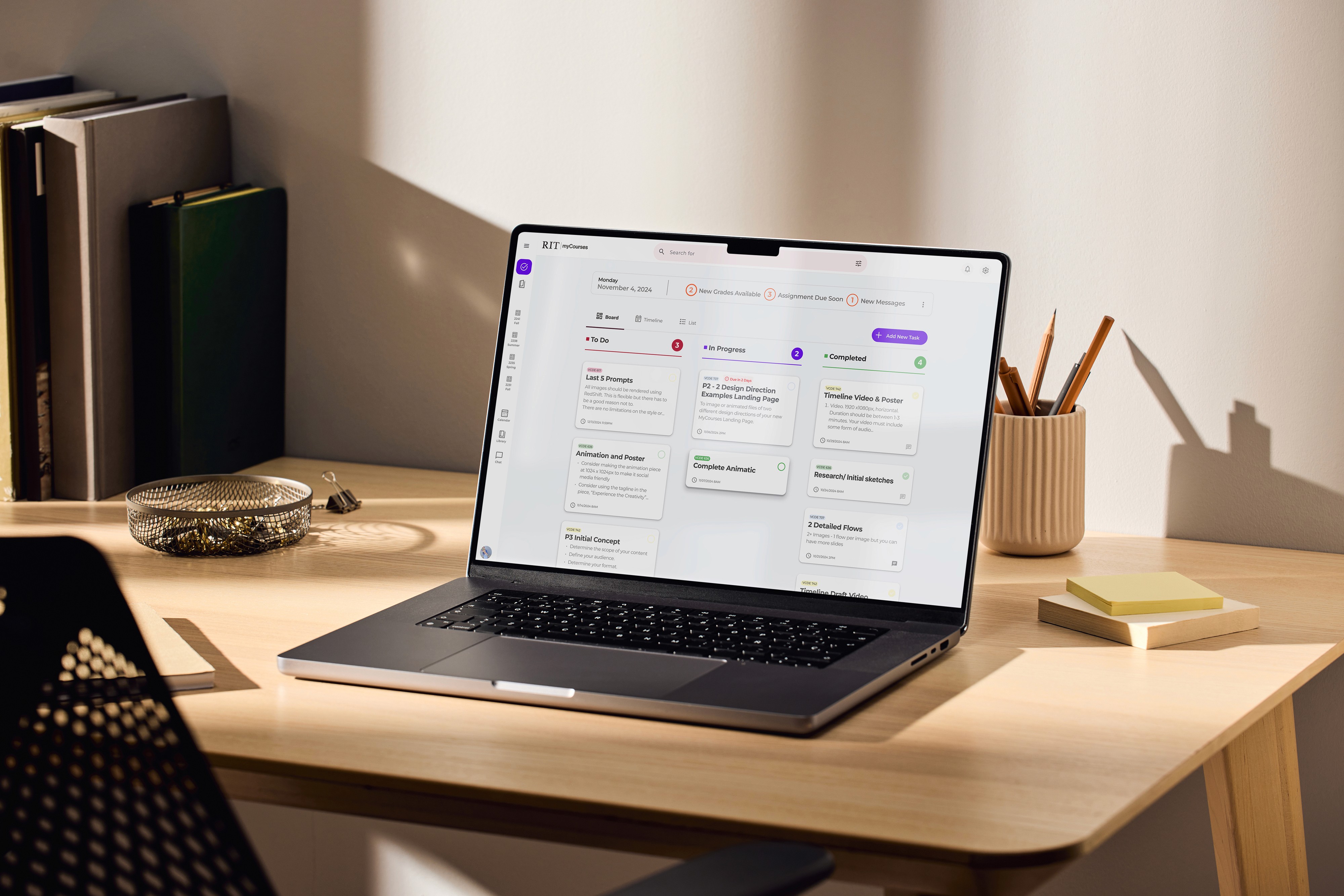
Students at RIT rely on MyCourses for assignments, grades, and feedback — but scattered information and inconsistent organization force them to compensate manually. Tracking deadlines, locating feedback, and submitting work each require detours through unrelated pages. The platform interrupts study flow instead of supporting it.
Solution Statement
A centralized dashboard that pulls every active course, deadline, and piece of feedback into one scannable view. Switching cost drops, urgency rises to the top, and submission becomes a focused two-step instead of a five-page detour.
Design Process
Objective & Goals

All-in-one Dashboard View
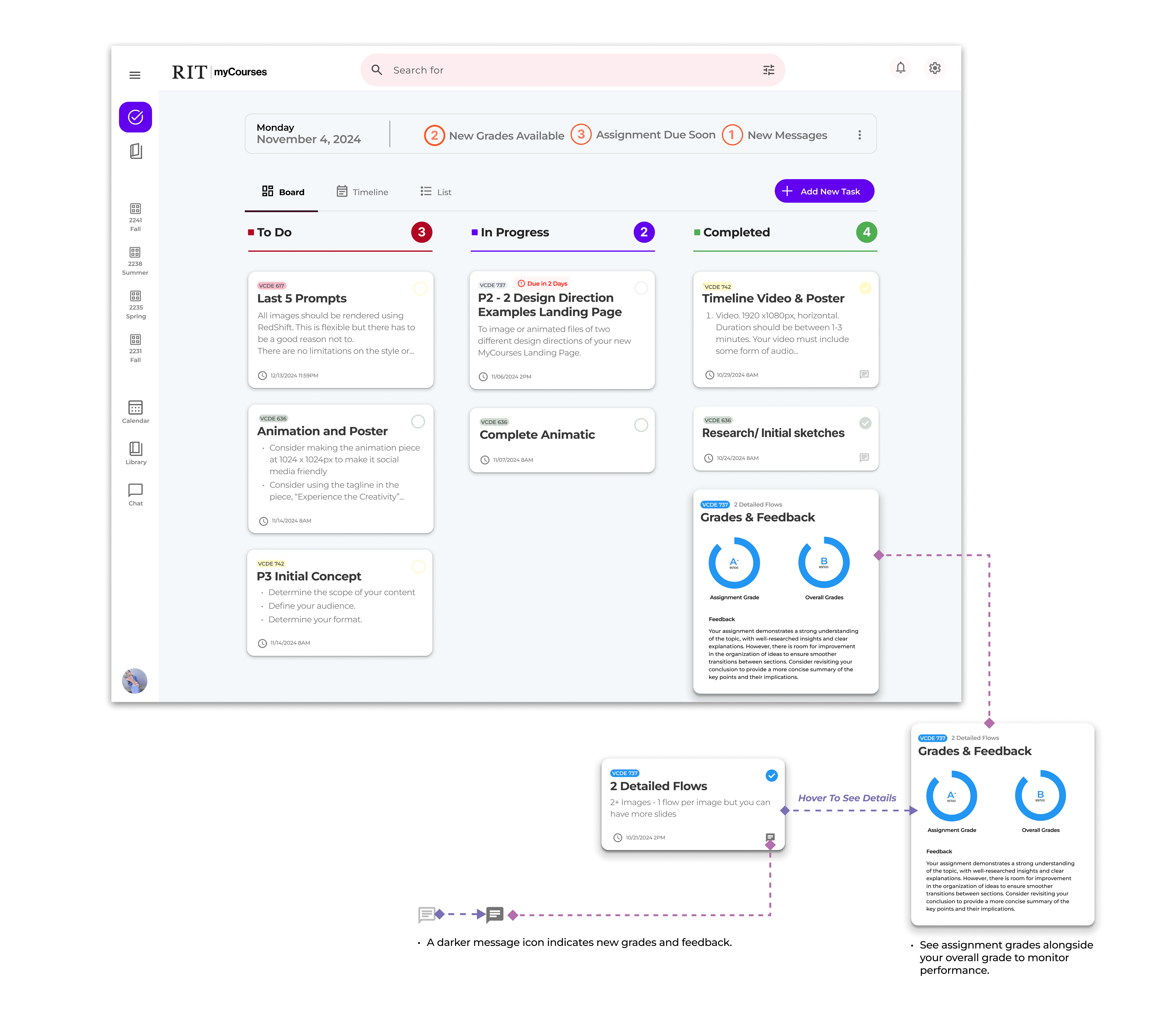
Deadlines and recent feedback occupy the top of the page; old "courses-only" view becomes secondary.


Drag and Drop
Assignment Management
File enters with one motion, type detection runs automatically, course assignment happens at the same step.
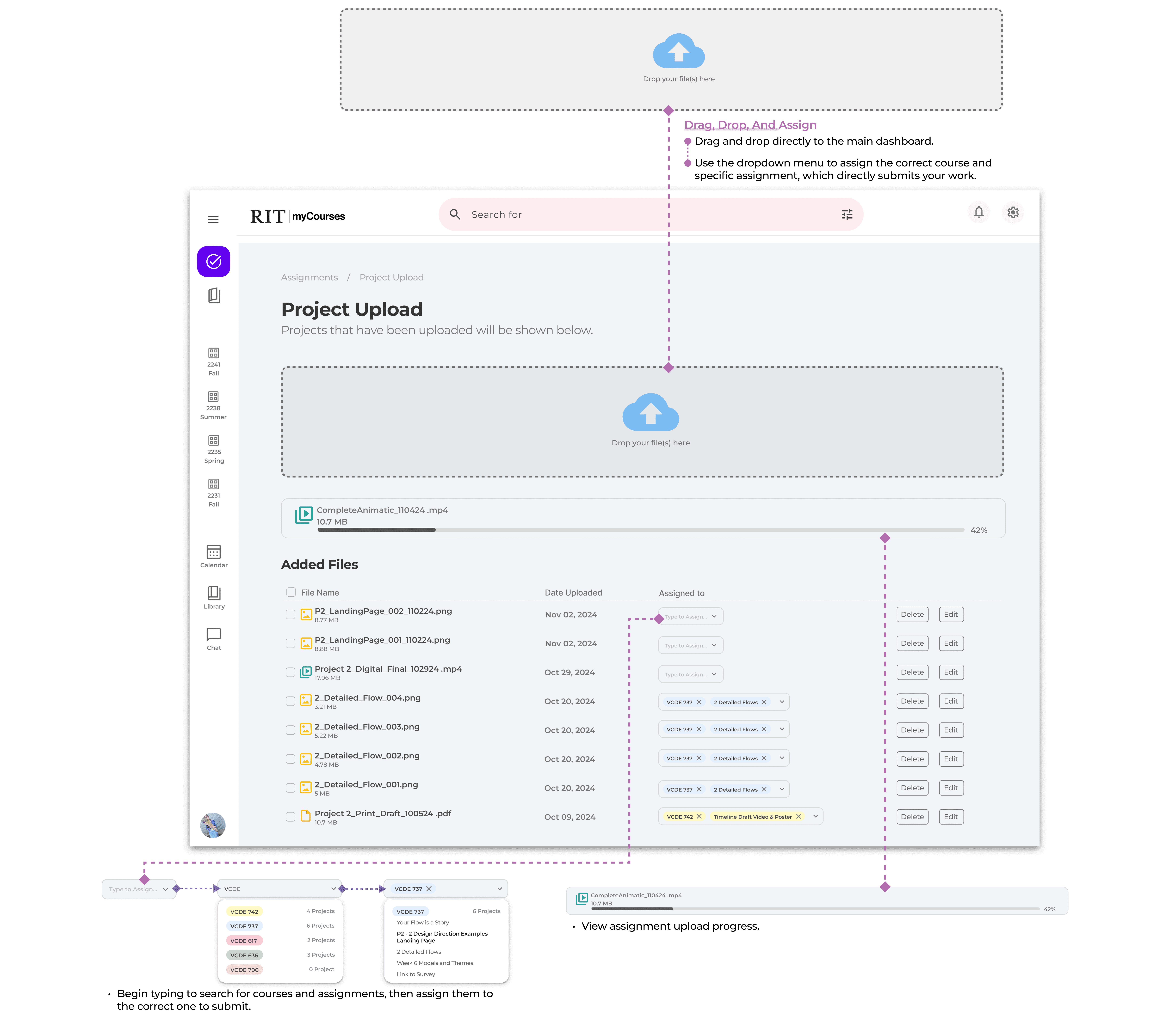
Try the submission flow below — drag a file in, assign it to a course.
Originally placed on the dashboard. In code, it created visual noise during everyday browsing. Moved to a dedicated Project Upload page — the dashboard stays focused on overview.
The static design ended at 'uploaded.' The build added a confirmation step with two intent paths: Upload More vs. Organize Files — splitting the user's next action into two clear flows.
Quick assignments use inline dropdowns. Complex submissions (notes, batch apply, drafts) open a slide-out panel. The interface scales to the user's intent, not the developer's convenience.

Clear Progress
Tracking
Graded items get their own column. No more burrowing through course folders to find a comment.
Research Method: Questionnaire

WHAT I HEARD
Across responses, one pattern dominated: students were doing the platform's organizational work for it — opening tabs manually, switching modules to cross-reference, hunting for feedback that was structurally hidden.
KEY INSIGHT
Students rated navigation and grade tracking as the platform's weakest dimensions. Feedback was concentrated in one section that not all students discover — meaning many never see instructor comments at all.
Three layouts, one question
Before committing to visual direction, I mapped the dashboard's information architecture at low fidelity. Three layout candidates tested how to balance three competing needs: at-a-glance state, active triage, and semester context.

Course-centric layout where each course has its own block with assignments grouped beneath it — essentially an extension of the current MyCourses model. Aligns with students' mental model of their class schedule, but cross-course urgency stays hidden.

Deadline-centric layout where assignments across all courses are arranged into a timeline / kanban view. Answers "what do I need to do next?" at a glance, though it sacrifices the broader course context. This direction was carried forward to the next iteration.

Priority-centric layout where the system surfaces "what to focus on today" at the top. Lowest decision cost, but users lose a sense of control and must trust the system's judgment.
Design


The font size on the left is too large, and the lack of hierarchy makes it unclear where students should focus. Poor text color contrast also affects readability. The design on the right will move forward for the next iteration.


The current design struggles with visual clarity and usability: titles fail to stand out, poor text color contrast affects readability, and tight paragraph spacing creates a cluttered appearance. The lack of clear facilitation and consistent theme leaves users unsure where to focus or navigate — resulting in a disjointed experience. Addressing these with improved hierarchy, accessible text choices, and a cohesive design direction will enhance clarity and engagement.
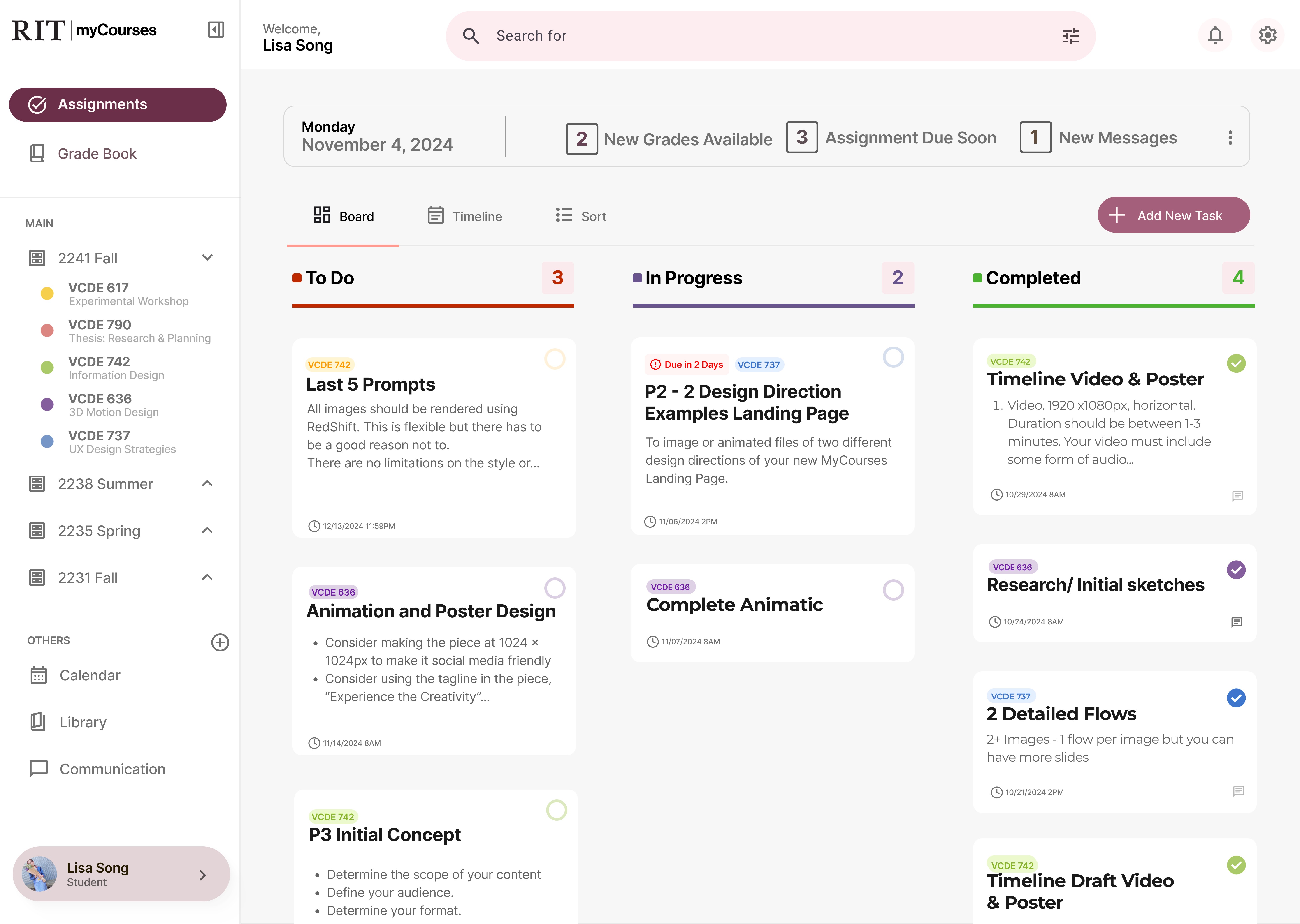

The updated design achieves a clearer overall layout: larger icons with thinner weight for modern visual balance, larger body text that enhances accessibility, and lighter background shades that improve contrast and reduce visual fatigue. The result is a cleaner, more user-friendly interface with improved clarity and readability.
Streamlined · Built · Evolving
The RIT myCourses redesign is a transformative effort to streamline navigation, enhance task management, and improve accessibility, creating a platform that truly supports students’ academic journeys. By addressing challenges like cluttered interfaces, inconsistent organization, and lack of visual clarity, I have designed a solution that makes accessing assignments, tracking progress, and managing tasks seamless and efficient.
This redesign not only improves usability but also fosters a more collaborative and engaging learning experience. Through these endeavors, I am committed to creating a supportive academic environment that empowers students to stay organized, boost productivity, and achieve greater success.